PC Performance May Not be What is Advertised - Welcome to Performance Throttling
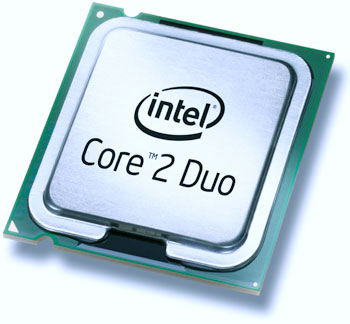 Have you ever wondered if your computer is giving you the actual speed and quickness that was advertised when you originally bought it?
In modern computers the advertised speed should really be considered the "up to" speed because few if any of the computers in the marketplace are actually giving you the advertised speed ratings - especially when they are being stressed with a difficult or time consuming task
What is PC Component Throttling?
It's pretty easy to make PC component throttling sound more sinister than it is. The bottom line is that your computer is engineered to protect its self.
Its pretty much common knowledge that many PC BIOS chips today will adjust fan speed to match the heat being generated by the processor. This keeps the CPU cool under stress and prevents it from burning itself up.
The idea behind the technology (called SpeedStep in Intel based systems and Cool and Quiet in AMD based systems) is that to reduce the speed of the components in the computer to reduce heat when the fans are working at 100% and you are doing a really intense task like rendering video, playing a high-end game, or editing 50 high-resolution images in Photoshop at one time like my wife does.
If your computer is cooling at its maximum and that's not enough, it will drop the speed until the temperature falls back to normal levels.
Why You Want / Don't Want It
Views on PC Component throttling generally fall into two camps - high-performance junkies hate it because if it gets too hot they will just install more / better fans.
Average Joe users love it because there is literally no risk or burning up a processor or a motherboard because the computer was working too hard.
Throttling comes in extremely handy when dealing with notebook computers. Notebook computers throttle performance for heat management like desktops, but also for power consumption.
Have you ever noticed that more of your CD burns fail when you are on battery? Have you noticed that the speed of your computer drops by about 15% when you yank out that AC adapter? These are al measures to save battery power.
How to Throttle Your Computer to Maximum Speed
If you are a performance junkie and you want to punch your computer's potential speed through the roof it's pretty easy to do.
** WARNING **
These instructions involve editing your BIOS settings. The layout and available options contained within your BIOS< as well as the method of entering the BIOS will differ depending on the brand of computer you are using. Please don't change these settings on a notebook or laptop computer, and only change them on a desktop PC if you are confident you have proper cooling. Failure to adhere to these warnings could result in permanent component damage to your system.
- To boost your computer's speed, enter into the BIOS. This is typically accomplished by pressing F2, F10, or the DEL key on your keyboard as the computer is booting.
- Next locate the SteedStep or Cool and Quiet options in the BIOS (Typically under power management)
- Turn off Cool and Quiet (AMD processors) or SpeedStep (Intel Processors)
- If your board supports this, set your maximum CPU temperature to no more than 125 degrees. Anything hotter than this will almost certainly damage your processor. This acts like a partial safeguard against component damage.
Leave a Reply
You must be logged in to post a comment.